
Parental Controls in 2026: A Practical Digital Safety Checklist for Parents
A practical parental-controls checklist for modern families: better sleep, fewer distractions, safer browsing, live location, warning signs in messages, and emergency tools that support calm, privacy-aware parenting.
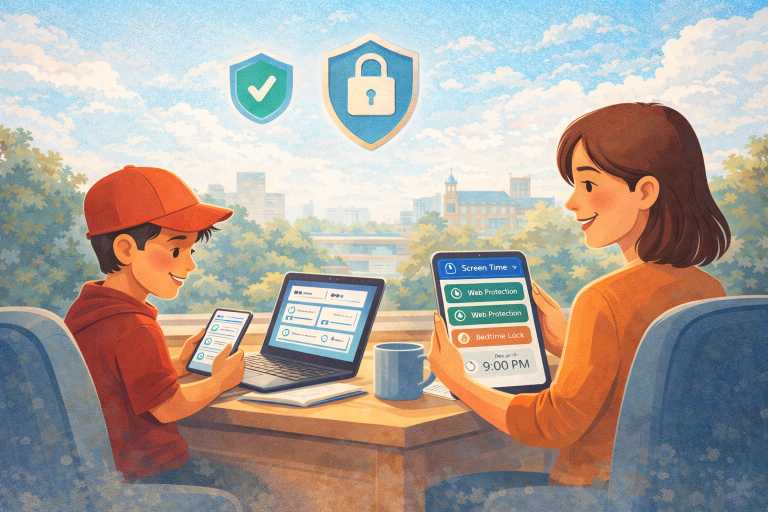
Parental Controls in 2026: A Practical Digital Safety Checklist for Parents
Parenting with smartphones isn’t about “winning” against technology. It’s about creating guardrails that protect your child while they build independence.
You’ve probably noticed the same thing most parents notice: kids are online earlier, content moves faster than we can keep up with, and “just take the phone away” often makes everything worse.
Privacy-first settings and transparent family rules can make digital safety feel calmer and more manageable for any family.
This checklist gives you a realistic plan you can set up in an hour—then maintain in minutes each week.
1) Start with one family rule that builds trust
Before any app or settings, agree on a simple rule your child can remember:
“If something online feels scary, confusing, or embarrassing, you can tell me—no punishment.”
This single promise reduces secrecy. Kids hide problems when they fear consequences. When they trust you, they report issues sooner (which is the whole point of safety tools).
2) Protect bedtime first (it’s the fastest win)
Late-night scrolling is one of the most common causes of:
poor sleep,
anxiety,
school focus issues,
and morning conflict.
A simple rule: Phones go quiet and locked at a set time every night.
Even if you change nothing else, protecting sleep improves mood and family life quickly.
Practical setup:
Set a timer-based phone lock for bedtime.
Allow calls/messages to parents if needed.
Keep the routine consistent, even on weekends.
3) Lock the “distraction hours” (school + homework)
Kids don’t fail because they don’t understand homework—they fail because they can’t stay focused with constant notifications, short videos, and chats.
A better approach than “no phone”:
Lock the phone during school hours (or during study blocks).
Allow essential apps only (school app, calculator, bus pass, etc.).
Give controlled breaks after tasks are finished.
Set a daily usage time limit for their favourite apps or games.
This removes daily arguments because the rule is automated.
4) Keep browsing risk low (without obsessing)
The web is where kids can accidentally land on unsafe content—often through:
search suggestions,
redirected links,
“free” game sites,
or social media link-outs.
A sensible strategy is:
Block risky categories (adult content, gambling, harmful or inappropriate websites).
Use allowlists for younger kids.
Use blocklists for specific problem sites as your child grows.
If you use web protection tools, be honest with expectations: No filter blocks 100% due to encryption, private browsing, and changing URLs. Filters reduce exposure and add control—but they’re not magic. The goal is fewer incidents and faster awareness.
An allowlist is not an “only these websites work” mode. It works as an exception list. If a website is blocked by a category or manual block rule, you can add that specific website to the allowlist so that the website stays accessible. Websites that are not blocked by any category or manual rule remain accessible by default.
Access to their browsing history can be highly valuable for security. By identifying potentially harmful websites that have been visited, you can create customised blocklists to prevent future access, providing a strong layer of web protection.
5) Use visibility wisely (and don’t turn it into “spying”)
Parents often ask: “Should I check everything?” The best answer is: Check only what you need, and be transparent.
If you enable activity visibility (like web visits and YouTube titles), use it for:
safety conversations,
spotting patterns (late-night content, risky searches),
and guiding better choices.
Avoid using it to “catch” your child. That destroys trust and makes kids better at hiding.
Good practice: tell your child what’s enabled and why:
“We’re using safety features to reduce risk and help you build good habits. We’re not here to embarrass you or control every click.”
6) Add location safety for real, everyday moments.
For many families, the biggest worry is not screen time. It is the simple question: “Did my child get there safely?”
That is where location safety and safe zones can help without becoming over-monitoring.
Use it for real-life moments like: - school arrivals - getting home safely - after-school clubs - shared custody handovers - or unexpected changes to pickup plans.
A sensible setup:
View the live location where your child is.
Turn on location history only if you truly need it.
Create safe places/geofences like home, school, classes or a grandparent’s house.
Use alerts to know when your child arrives or leaves safe zones.
Check route history only when something feels off, not all day long.
The goal is not to watch every movement. The goal is to reduce unnecessary worry and make it easier to act quickly if plans change.
7) Watch for warning signs in messages and social apps
Sometimes the first sign of a problem is not something your child says. It is a sudden change in mood, silence after checking their phone, or stress that seems to appear out of nowhere.
That is why message visibility and AI safety alerts can help.
If your safety setup allows you to review social messages or SMS, use that visibility with care. The purpose is not to read everything out of suspicion. It is important to notice warning signs early, especially when harmful language, bullying, threats, or repeated pressure may be building in the background.
A calm approach works best: - Look for patterns, not isolated words. - Treat alerts as a reason to talk, not a reason to accuse. - Start with support, not punishment.
A simple opening can help: “I noticed something that made me want to check in. You’re not in trouble. I just want to make sure you’re okay.”
Children are much more likely to share what is happening when they feel safe telling the truth.
8) Set emergency tools up before you ever need them
The best time to prepare for an urgent moment is before one happens.
Many parents only think about emergency tools after a missed call, a late arrival, or a moment of real panic. It is much better to set them up in advance, while everything is calm.
A simple emergency setup can include: - an SOS button your child understands, - alerts that reach a parent quickly, - location sharing in urgent moments, - a loud ring to help when a child is not reacting, - and short nearby audio or camera access for extra context when something feels seriously wrong.
You may never need these tools often. That is a good thing. They are there for the moments when normal contact is not enough.
Used well, emergency features are not about fear. They are about being ready, staying calm, and getting the right information quickly.
9) Set retention short and delete often (a privacy-friendly habit)
A simple privacy habit that works well: Only keep what you actually need.
If your safety setup stores histories (like location history or browsing history), keep retention short—then delete regularly. This reduces the amount of sensitive data stored over time.
A simple routine:
Review once a day (5 minutes).
Delete history you don’t need.
Adjust rules as your child grows.
10) Do a 5-minute daily “digital check-in”
The best parental control is still the relationship. Tools can support safety, but conversations are what help children come to you earlier, recover faster, and learn better habits over time.
Ask three questions:
“What’s something good you found online today or this week?”
“Anything weird, scary, or annoying happen?”
“What rule feels fair, and what rule feels frustrating?”
Kids cooperate more when they feel heard—even if the rules stay the same.
Keep privacy simple: review what matters, then let it go Good digital safety should also respect privacy.
A simple habit works well for most families: - keep only what you actually need, - review it briefly, - delete what no longer matters, - and adjust settings as your child grows.
11) A realistic “starter setup” (beginner-friendly)
If you want the simplest plan that covers most families:
Week 1
Set a bedtime phone lock schedule
Set a school or homework focus schedule
Turn on web protection with basic categories blocked
Week 2
Review browsing history and fine-tune your blocklist
Set up one or two safe places, like home and school
Turn on message or activity visibility only if you truly need it
Do your first weekly digital check-in
Week 3
Set up emergency tools like SOS, loud ring, and safety alerts
Make sure your child knows when and how to use them
Review what feels helpful and what feels too heavy
After that, you’re maintaining, not constantly reacting.
Good digital parenting is not about controlling everything. It is about creating a safer, calmer environment where your child can grow in confidence without facing every online risk alone.
If you’re looking for a tool to support these habits, Parento App is built around:
screen-time boundaries & clear sleep rules,
timer-based phone lock for protected focus time,
safer browsing & web protection,
honest conversations,
optional activity visibility,
practical location safety,
and emergency tools that are ready if life suddenly feels uncertain.
If you’re using a safety app, use it to support your parenting, not replace it. The goal is not to watch everything. The goal is to notice problems earlier, reduce daily stress, and help your child feel protected, guided, and able to come to you when something is wrong.
If you want a tool to support these habits, Parento helps families with screen-time routines, safer browsing, website and YouTube activity insights, live location, safe zones, ambient sounds, warning signs in messages, SOS, loud ring, camera feed live tracking, and emergency safety tools.
Questions? Contact us anytime: info@parento.uk
To learn more, visit https://parento.uk