Three simple steps to connect the parent and child apps, enable family safety tools, and start using Parento with confidence.
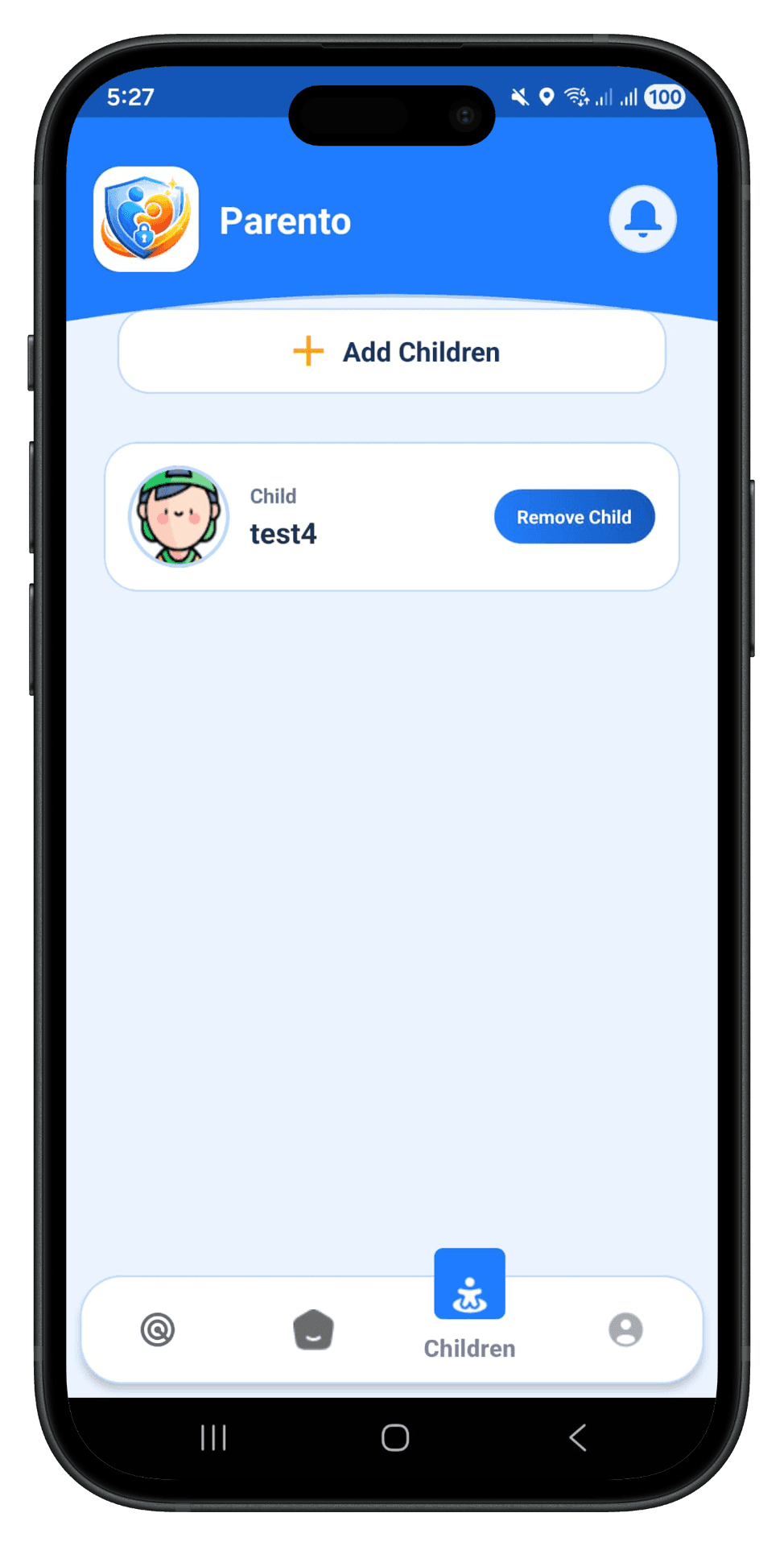
Download Parento on your phone, create your account, and add your children. Manage all your kids from one simple dashboard.
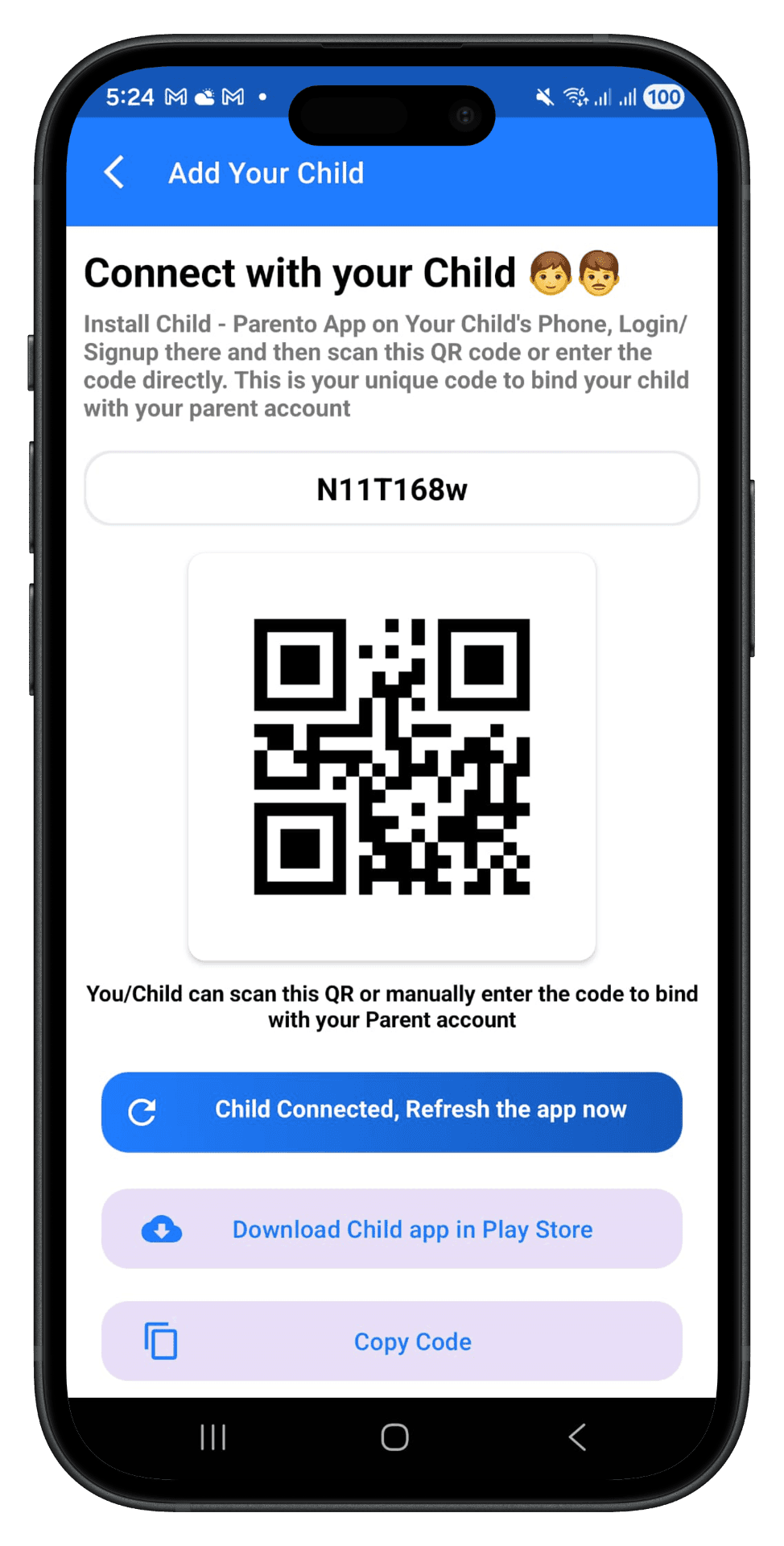
Get a unique pairing code and QR code. Share it with your child — they can scan it or enter it manually on their device.
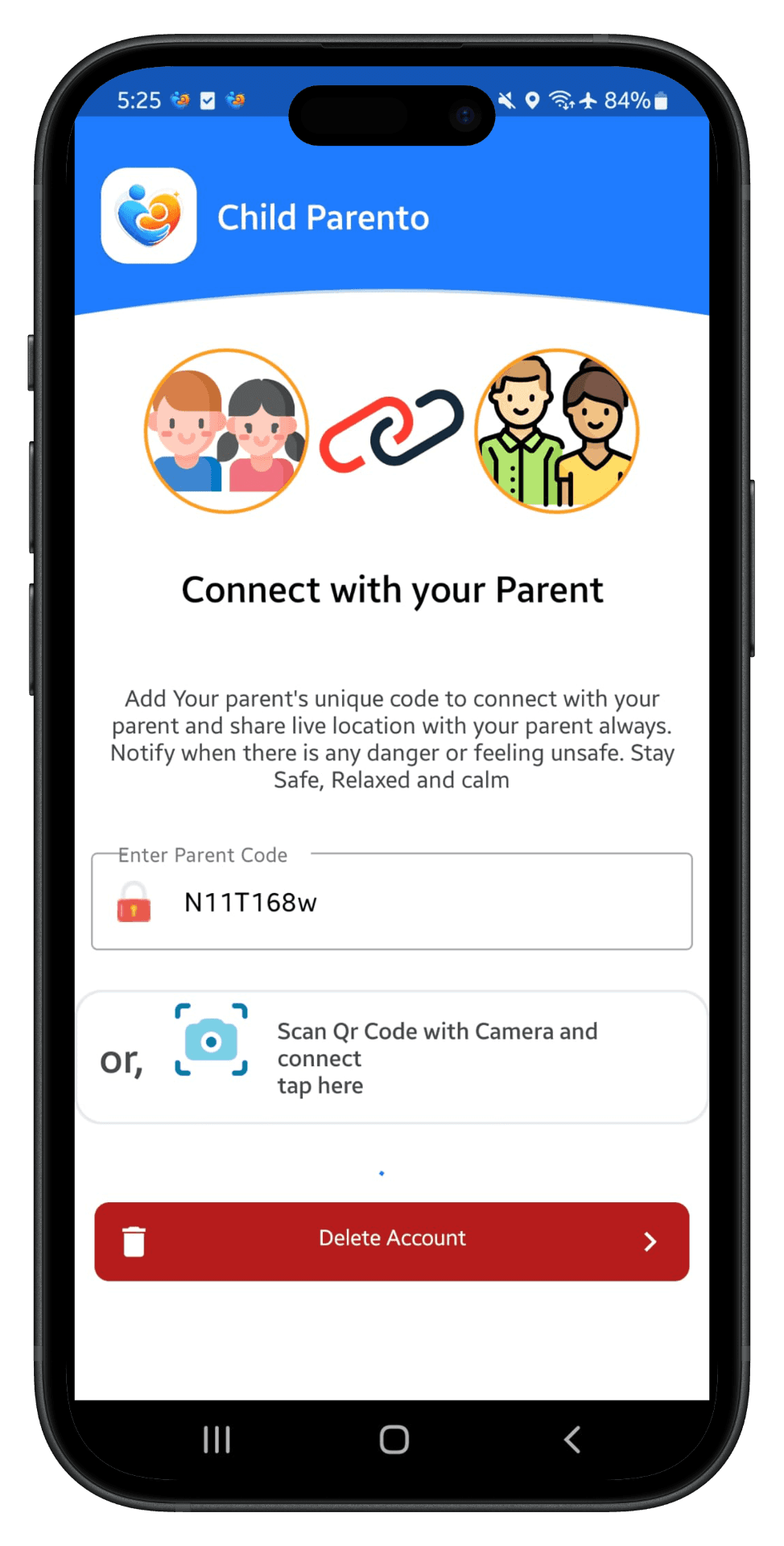
You or your child can enter the code or scan the QR code in the Child Parento app. Once the devices are paired, location updates, web safety, screen-time tools, and emergency features are ready to use.
Watch the quick demo to see how parents and children connect in seconds.
🔒 Pairing is encrypted end-to-end — your family's data stays private.
Parento requests only the permissions needed for connected-parent-authorized safety features. The goal is clear parental guidance, safer routines, and strong protection for family data.
Used for live GPS tracking, safe places, and location history when enabled by the connected parent.
Used for parent-authorized app blocking, app limits, website visit tracking, YouTube watch-title history, and helping reduce bypass of parent-enabled protections.
Used for parent-authorized phone-lock controls and helping reduce unauthorized disabling or removal of child safety protections.
Used to collect supported social notification metadata and power message safety alerts when enabled by the connected parent.
Used to measure screen time and app activity so parents can review usage and set daily limits.
When requested by the connected parent and supported by device permissions, the child device can share short ambient sound or camera views for the requested time.
Only the connected parent can control, view, or manage child safety features and related data through the paired connection. Parents can unpair and delete child data at any time.
Uses a local VPN service for website allow and block rules, category-based filtering, safer browsing, and website visit visibility when enabled by the connected parent.